Thursday, July 20, 2017

Updating version of R in ubuntu

Dear Technocrats,

This post is for R/Rstudio programmers. As we all know that Rstudio is a package based framework. Many new packages are not supported by older version of R. So in this post I am explaining the procedure to update version of R in your system.

I was having R 3.2.x in my Ubuntu Machine,


and I am showing step by step procedure to update the R version to 3.4.x.

(Note: As we know that R is already installed in our system so it needs to be upgraded. For this we need to mention its online repository path in /etc/apt/sources.list file as shown below:

Now save this and run sudo apt-get update command. It may throw an error as shown below:


To solve this problem you need to authenticate public key by these two commands


After this run the commands

sudo apt-get update
sudo apt-get upgrade r-base

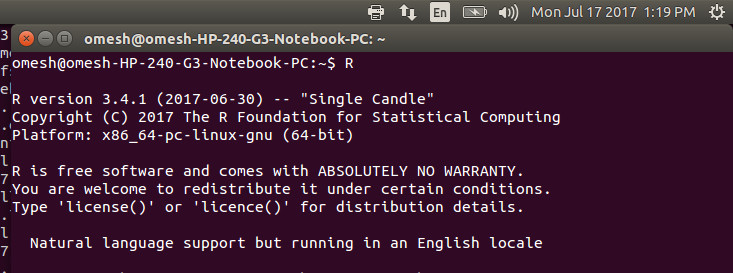
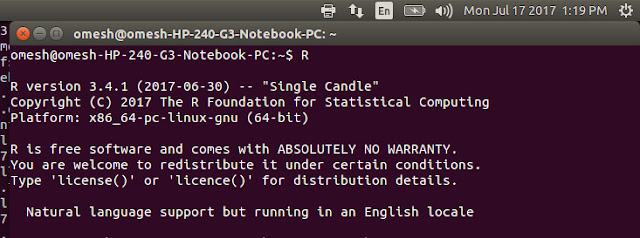
you will get your updated version of R on your Ubuntu Machine as shown.

Hope this post will be helpful. For more updates keep visiting the blog.


Wednesday, July 19, 2017

Installation of R in Ubuntu

Dear Technocrates,

Now a days R is getting more and more focus due to its ease of use for implementation of machine learning algorithms on large data analysis projects and for data visualization.

In this post I am giving steps to install R and Rstudio in your Ubuntu Machine. Installation of R/Rstudtio in ubuntu is just 3 steps procedure.

1. sudo apt-get update
2. sudo apt-get install r-base

These commands will install available version of R in your machine. You can check the version of R by type the command R on your terminal. To come out of terminal just type

quit();

It will ask to save or not to save your workspace as per your choice just come out of the terminal.
To install the R studio now download the rstudio-1.0.143-amd64.deb in your system and just give the command sudo gdebi rstudio-1.0.143-amd64.deb . Ensure that you are in the same directory in which debian file is downloaded or you have given the right path to that file.
Note: if gdebi is not installed in you system just install it first by simple command:
sudo apt-get install gdebi

You are done. just type rstudio in your terminal as shown:


you will have the rstudio GUI interface in your system as shown below.


Now you can play with features of R on this Rstudio interface. For more updates of programming with R keep visiting the blog.

Rstudio is a package based programming framework. You just install the packages form right side window packages and install option. just type the package you need to install and it will be installed with no efforts.

Most of the packages will be installed simply. But a few new packages may throw error. It is due to version of R. If you have some older version of R installed on your machine there is no escape plan to install new packages in Rstudio other than upgrading your R version.

How to upgrade R in Ubuntu
Upgrading R version in Ubuntu is tricky procedure. Visit this post to find the steps to upgrade R version in Ubuntu machine.


Tuesday, October 25, 2016

Shell scripting

Shell is an interface between the user and kernel. Shell takes the input from end user and converts is into a code understandable to the underlying kernel. Unix shells includes, sh, bash, Ksh, etc. The default shell in linux flavour is bash. Bash stands for Bourne Again SHell. The details of shell programming are as following:

Before proceeding towards programming, we must understand the capabilities of shell. Shell has a rich collection of variables as well as parameters. It has environment variables, positional parameters and special built in variables. 
Shell special parameters are as following:

$$ : Contains process id of current shell.

$# : Contains the number of command line arguments.

$0 : Contains the name of the current shell / script.

$? : Contains the exit status of last executed command.

$* : Contains entire string of arguments.

$@ : Contains set of all arguments (we can say equivalent of $*)

$! : Contains process id of last background command.


Other than these shell has 9 positional parameters from $1 to $9. Environment variables includes  HOME, IFS, PATH, PS1, PS2, PWD, and so on. To get the value of any of these parameters you can write echo $VARIABLENAME, as shown below:


For more updates keep visiting this blog or like us on facebook page

Monday, August 29, 2016

Interview questions in big data field

Dear Technocrats,

In this post we are coming up with a series of interview preparation material for those who are looking to get entry in the field of big data analytics. First lets have some common interview tips for all:

  1. Be very attentive while listening before answering any question.
  2. Be very specific and precise in your answers.
  3. In today's fast paced changing IT industry, the recruiter is more focused on well educated personal than the well trained, understand the difference.
  4. Focus more on the outcome of learning, than the syntax of leaning. Having some idea of business use of your technology domain will be a plus.
  5. Show flexibility, rather than rigidity on any technology or platform specially for freshers. 
  6. Asking one or two questions from the interviewer about his company is thought to be a good practice, but avoid making continuous arguments.
  7. A common question from the interviewer can be " when a person is called successful on this post?" 
 
Now we are coming up with a set of questions which are expected to be asked in your interview.

Basic Questions:

  1. What do you think by big data and what are its solution techniques?
  2. What is the difference between structured and unstructured data? Support your answer with examples.
  3. What do you know about NoSQL databases? How those are different from RDBMS?
  4. What is Mapreduce? Explain its phases in detail.
  5. What is distributed file system? How it is different from usual file systems. Explain both with examples.
  6. What are the limitations/shortcomings of mapreduce framework?
  7. Do you know about IBM Watson? How it is helpful in big data analytics?
  8. Is there any relation in big data analytics and cloud computing?
  9. Define horizontal scalability and its benefits in hadoop framework?
  10. Explain the role and working of Namenode, datanode, Jobtracker & tasktracker.
  11. What is the difference between hadoop 1.x and hadoop 2.x?
  12. Explain Sharding and its importance.

Advance level questions:

  1. How kafka can be integrated with hadoop / spark for stream processing.
  2. What is the use of NiFi in big data processing frameworks.
  3. Which NoSQL database is suited for storage and processing of binary data (images).
  4. What is the difference between RDD & DataFrames in Spark.
For more such questions, discussions on polls & technical articles on latest technologies for big data analytics check out the posts on DataioticsHub Page


If you are new to big data analytics, please start reading basics from this post. To understand and learn complete technology stack on big data engineering, visit DataioticsHub

Saturday, August 20, 2016

Software Defined Networks


Software Defined Networks:

Networking lies in the core of any IT infrastructure. We can't think of any computer based business system which is lacking in networking capabilities. Good networking leads to multi-dimensional growth of a computer based system and any business module relying on it.
So its time to upgrade and expand the network capabilities to meet the growing need of IT industry. The new and upcoming needs of IT industry are changed due to SMAC model of business. Every organization wants to be connected more closely with their customers. Every customer as well as every feedback is important for an organization have an edge over its competitors. This needs very robust and flexible network capabilities from network providers.
As networking devices are costly enough, expansion of network in new areas are quite costly. All these deriving forces gave birth to the advent of "Software Defined Networks".
   SDN comes up with the concept of separating the control logic from the underlying hardware and providing centralized administration to the network. SDN enables improved networking capabilities in cloud data centers.

    From Academic research point of view you can take either  open-source tool NS-3 "Network Simulator-3" or Mininet as your simulation tools and ride of wave of SDN by contributing some good research from your side to the community. NS-3 has OpenFlow as and protocol set module to showcase the functioning of SDN. The module comes up with coding in C++ and optional binding option with python. Basic knowledge of Linux will be a plus in networking domain specially in SDN.

Keep an eye on post update to get deeper aspects of SDN with practical exposure.

Wednesday, July 6, 2016

twitter data download procedure

Dear Technocrats,

In this post we are going to discuss about social site analysis. Social sites are not inseparable part of personal as well as enterprise life. Analysis of social sites' comments, reviews and feedback provides a fast, reliable closed loop tie up between service provider and his end user.

First step for social site analysis is to get data from that site. For this social sites are providing API (Application Programming Interface) to the users to get some sample data for analysis.

Here is the procedure to download data from twitter public API:


After running this command the twitter data is saved in tweets100.json file. The data downloaded from twitter looks like this:


For more frequent updates on Social, Mobility, Analytics, and Cloud visit our page.